- Home Page /
- Electronics /
- Computer Accessories /
- Computer Accessories & Peripherals /
- Input Devices /
- Touch Pads /
- Parts for Lenovo ThinkPad X1 Carbon 5th Gen (...
0 ratings

Item #:
144565204
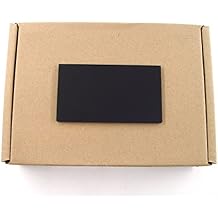
Parts for Lenovo ThinkPad X1 Carbon 5th Gen (20K3 20K4) Touchpad CS16_2BCP Clickpad Black 01AY049 01AY048
Item #:
144565204
SCR 884
Price Details
Excluding Shipping & Custom charges ( Shipping and custom charges will be calculated on checkout )
*All items will import from US
0 ratings
Write a review
In stock
 Imported from USA store
QTY:
Order now and get it around Sunday, July 26
Secured transaction
Ubuy works hard to protect your security and privacy. Our advanced payment security system ensures confidentiality by encrypting your information during transmission using AES (Advanced Encryption Standards) and SSL (Secure Socket Layer) protocols. Your payment details are 100% secure as we do not share your payment details with third party sellers.
Our Top Logistics Partners


***What you see is what you get!***

Fast
Shipping

Free
Return*

Secure Packaging

100% Original Products

PCI DSS Compliance

ISO 27001 Certified


Note: Step Down Voltage Transformer required for using electronics products of US store (110-120). Recommended power converters Buy Now.


What Stands Out
High Compatibility
Designed specifically for the Lenovo ThinkPad X1 Carbon 5th Gen, ensuring seamless integration and functionality, reducing the risk of incompatibility issues with your existing device.
Durable Design
Crafted with high-quality materials, this Clickpad withstands daily usage and wear, providing a reliable and long-lasting touch interface for enhanced user experience.
Enhanced Functionality
Offers responsive click and multitouch gestures, improving navigation and overall productivity. Ideal for users seeking a smooth and efficient working experience.
Product Details
| Item Weight | 0.2 lbs (90 grams) |
Who Should Buy?

-
Frequent Travelers
Users who often travel will appreciate the durability and compact design of the Touchpad.
-
Office Professionals
Ideal for office workers needing reliable performance and high responsiveness for productivity tasks.
-
Tech Enthusiasts
Perfect for users who enjoy upgrading their devices with original parts for better performance.

-
Casual Users
Individuals who rarely use their laptop might find replacing the touchpad unnecessary and costly.
-
Budget Shoppers
Users looking for low-cost alternatives may find this part more expensive than non-genuine options.
-
Gaming Enthusiasts
Gamers may prefer specialized gaming mice over touchpads for better control and responsiveness.
Product Description
Parts for Lenovo ThinkPad X1 Carbon 5th Gen (20K3 20K4) Touchpad CS16_2BCP Clickpad Black 01AY049 01AY048
Have any Query? Chat with us
Customer Questions & Answers
-
Question:
What is the compatibility of the Touchpad CS16_2BCP Clickpad for Lenovo ThinkPad X1 Carbon 5th Gen?
Answer: The Touchpad CS16_2BCP Clickpad is specifically designed for Lenovo ThinkPad X1 Carbon models 20K3 and 20K4. This ensures optimal performance and fit, restoring the functionality of your device. Compatibility is crucial because using non-compatible parts can lead to poor responsiveness or functionality issues. If you own either model, this touchpad is an excellent choice to enhance your laptop's usability. -
Question:
How do I install the Touchpad CS16_2BCP Clickpad?
Answer: Installing the Touchpad CS16_2BCP Clickpad involves opening your Lenovo ThinkPad X1 Carbon and replacing the old touchpad. Ensure that you follow a reliable guide or video tutorial, as this will help you identify necessary tools and steps. Providing a careful installation will minimize risks of damaging internal components. Once installed, you can enjoy enhanced touch sensitivity and click features typical of a quality touchpad. -
Question:
What are the key features of the Clickpad for Lenovo ThinkPad X1 Carbon?
Answer: The Clickpad CS16_2BCP features a larger surface area for more precise cursor control and gestures, along with integrated click functionality that eliminates the need for physical buttons. Its sleek, black design complements the Lenovo ThinkPad aesthetic. The touchpad’s sensitivity supports multi-finger gestures, making it suitable for users who prefer using gestures for navigation and task management, thereby enhancing overall productivity. -
Question:
Is there a warranty or guarantee for the Touchpad?
Answer: While specific warranty details can vary, it’s essential to verify with the reseller or manufacturer for any coverage that may apply. Generally, high-quality parts such as the CS16_2BCP Clickpad are built to last and withstand regular use. Checking warranty details can provide peace of mind and ensure you're confident in your purchase. This is especially important if you're replacing the part in a professional environment. -
Question:
Can I buy the Touchpad CS16_2BCP Clickpad for Lenovo ThinkPad in Seychelles?
Answer: Yes, you can purchase the Touchpad CS16_2BCP Clickpad through Ubuy in Seychelles. Ubuy offers a variety of parts for Lenovo products and provides a user-friendly experience for finding components like this Clickpad. They cater specifically to customers looking for reliable laptop parts and accessories, ensuring you get a product that meets your needs conveniently. -
Question:
What should I do if my Clickpad is not working?
Answer: If your Clickpad stops responding, first check your drivers to ensure they are up to date. Reboot your laptop as software glitches can sometimes affect touchpad functionality. If issues persist, physically inspect the touchpad for any debris or damage, and consider replacing it with the CS16_2BCP Clickpad. Regular maintenance and prompt attention to issues can prevent further complications and prolong your laptop's usability. -
Question:
Does the Clickpad come with installation instructions?
Answer: Typically, the Clickpad itself does not include detailed installation instructions. However, numerous online resources such as video tutorials and repair guides are available to assist you in the process. Prior preparation with the right tools can streamline your installation experience. Following visual aids will enhance your understanding of the steps needed for a successful upgrade or replacement. -
Question:
What should I consider when purchasing a replacement touchpad?
Answer: When purchasing a replacement touchpad like the CS16_2BCP, consider compatibility, build quality, and reviews from other users. Confirm that it is specifically designed for your Lenovo ThinkPad X1 Carbon model to avoid fitment issues. Reading user experiences can also provide insights into the reliability and performance of the part, helping you make an informed choice that aligns with your needs and expectations. -
Question:
Can I use external mouse with the Clickpad?
Answer: Yes, you can use an external mouse alongside the Clickpad. The touchpad will function independently, allowing for flexibility based on your preference. For users who perform tasks requiring precision, like graphic design or gaming, an external mouse can enhance functionality. The Clickpad, however, provides a convenient option for general use or when on the go, ensuring you remain productive in any scenario. -
Question:
What if my new Clickpad still isn't responding?
Answer: If your new Clickpad CS16_2BCP isn't responding after installation, first check your laptop's BIOS settings to ensure the touchpad is enabled. Incorrect BIOS settings can lead to hardware not being recognized. Additionally, confirm that all connections are secure. If the issue persists, using the laptop’s troubleshooting tools can help identify any software conflicts, ensuring your device is functioning as intended.
Bayjebu Touch Pads Editorial Review
No editorial reviews found
Customer Reviews & Ratings
1 customers ratings
-
5 Star
0%
-
4 Star
100%
-
3 Star
0%
-
2 Star
0%
-
1 Star
0%
Review this product
Share your thoughts with other customers
Platform Trust & Buyer Confidence

MT
Mohd
Verified buyer
“The product received very good packaging & safe…Thank You”
16 June 2026 · via Trustpilot
SJ
Shawati
Verified buyer
“Accurate delivery timing given”
16 June 2026 · via Trustpilot
YB
Youcef
Verified buyer
“Not madly expensive like I thought, and much quicker than promised.”
15 June 2026 · via Trustpilot
LM
Leila
Verified buyer
“Never dealt with Ubuy before, but everything worked out great. Seamless cross border purchasing and shipping. Thanks!”
6/7/2026 · via Trustpilot
KA
Kwame
Verified buyer
“The process was smooth, with clear communication and timelines. This was my 1st purchase and I am really impressed. I will definitely be coming back.”
12 June 2026 · via Trustpilot
Secure Checkout
Global Delivery
Easy Returns
Genuine Products
Product Price History
Important information
- Limitations : For products shipped internationally, please note that any manufacturer warranty may not be valid; manufacturer service options may not be available; product manuals, instructions, and safety warnings may not be in destination country languages; the products (and accompanying materials) may not be designed in accordance with destination country standards, specifications, and labeling requirements; and the products may not conform to destination country voltage and other electrical standards (requiring use of an adapter or converter if appropriate). The recipient is responsible for assuring that the product can be lawfully imported to the destination country. When ordering from Ubuy or its affiliates, the recipient is the importer of record and must comply with all laws and regulations of the destination country.
- Not all the products listed on Ubuy are for sale, as Ubuy is a global search engine. Products are subject to export/trade regulations.
SCR 884
Order now and get it around Sunday, July 26
This item is not restrict in my country.(Please click on above link if this item is not restrict in your country, So our team will review and allow.)
QTY:
Secured transaction
Ubuy works hard to protect your security and privacy. Our advanced payment security system ensures confidentiality by encrypting your information during transmission using AES (Advanced Encryption Standards) and SSL (Secure Socket Layer) protocols. Your payment details are 100% secure as we do not share your payment details with third party sellers.
Our Top Logistics Partners
Fastest cross-border delivery
Features & Benefits
- Genuine & New Condition touchpad for Lenovo ThinkPad X1 Carbon 5th Gen.
- Includes exact FRU parts or 100% substitutes if out of stock.
- Designed specifically for 14.0 inch ThinkPad X1 Carbon series - 20K3, 20K4.
- Carefully check compatibility with your laptop model before purchasing.
- Professional pre-sales guidance available for customer support.
- Fast and reliable shipping without original packaging.