0 ratings

Item #:
70374748
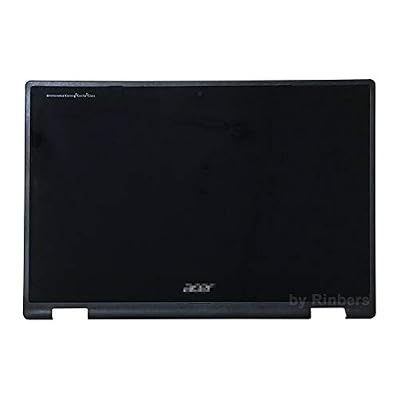
Partsatoz 11.6 inch HD 1366x768 IPS LED LCD Display Touch Screen Digitizer Assembly with Frame Bezel Replacement for Acer Chromebook 11 Spin 511
Item #:
70374748
SCR 1255
Price Details
Excluding Shipping & Custom charges ( Shipping and custom charges will be calculated on checkout )
*All items will import from US
0 ratings
Write a review
In stock
 Imported from USA store
QTY:
Order now and get it around Tuesday, July 14
Secured transaction
Ubuy works hard to protect your security and privacy. Our advanced payment security system ensures confidentiality by encrypting your information during transmission using AES (Advanced Encryption Standards) and SSL (Secure Socket Layer) protocols. Your payment details are 100% secure as we do not share your payment details with third party sellers.
Our Top Logistics Partners


Transform your Acer Chromebook 11 Spin with our high-quality 11.6 inch HD Touch Screen Digitizer Assembly.

Fast
Shipping

Free
Return*

Secure Packaging

100% Original Products

PCI DSS Compliance

ISO 27001 Certified


Note: Step Down Voltage Transformer required for using electronics products of US store (110-120). Recommended power converters Buy Now.


What Stands Out
High Definition Display
Experience vibrant visuals with a 1366x768 HD resolution, ensuring clear and sharp images for an enhanced viewing experience on your Acer Chromebook.
Touch Screen Functionality
The integrated touch screen offers intuitive navigation, making it easier to interact with applications and enhancing productivity, especially for students and professionals.
Complete Assembly Kit
Includes a digitizer assembly with frame and bezel, providing an all-in-one solution for hassle-free installation and replacement, ensuring compatibility with Acer Chromebook 11 Spin 511 series.
Product Details
| Item Weight | 1.5 lbs (680 grams) |
Who Should Buy?

-
Students
Ideal for students needing a durable and touch-responsive screen for educational tasks and presentations on the go.
-
DIY Repair Enthusiasts
Perfect for those who prefer repairing devices themselves, saving on expensive service fees for screen replacements.
-
Acer Chromebook Users
Designed specifically for Acer Chromebook 11 Spin models, ensuring compatibility and optimal display performance for owners.

-
High-End Users
Not suitable for high-performance users seeking advanced display features or higher resolution than 1366x768.
-
Non-Technical Users
May not be ideal for users unfamiliar with hardware repairs or those uncomfortable disassembling their devices.
-
Alternative Brands
Does not fit non-Acer devices, making it impractical for users owning different laptop brands or models.
Product Description
Partsatoz 11.6 inch HD 1366x768 IPS LED LCD Display Touch Screen Digitizer Assembly with Frame Bezel Replacement for Acer Chromebook 11 Spin 511 R752T R752TN Series 6M.H92N7.001 NO EMR
Have any Query? Chat with us
Customer Questions & Answers
-
Question:
What is included in the touch screen digitizer assembly for Acer Chromebook 11 Spin 511?
Answer: The touch screen digitizer assembly includes the 11.6 inch HD 1366x768 IPS LED LCD display, the digitizer, frame, and bezel. This complete package ensures that you have all the essential components necessary for replacing an old or damaged screen on your Acer Chromebook 11 Spin 511. The IPS technology offers vibrant colors and wide viewing angles, enhancing your visual experience whether you’re browsing, watching videos, or working on projects. It's ideal for users looking to restore their device's functionality and aesthetics. -
Question:
Is this display compatible with other Acer Chromebook models?
Answer: This display is specifically designed for the Acer Chromebook 11 Spin 511 models R752T and R752TN. While some components may look similar across Acer's Chromebook lineup, the specifications for screen fit, connectors, and display drivers can vary. Using the correct model ensures optimal performance, avoiding issues such as misalignment or functionality problems that can arise from incompatible components. Always check your model number before purchasing to ensure compatibility. -
Question:
How difficult is it to replace the LCD display myself?
Answer: Replacing the LCD display can be moderately challenging and requires some technical skill. You'll need tools such as a screwdriver and possibly a plastic pry tool to safely detach the screen from the chassis. Numerous online guides and video tutorials are available to assist you through the process step-by-step. Successfully completing the replacement can save you money on service fees, and it can be a rewarding experience to restore your device to its full capability. -
Question:
What should I do if my touch screen is not responding?
Answer: If your touch screen is not responding, several troubleshooting steps can be taken. First, ensure that there are no software issues by restarting the device or updating to the latest version of the operating system. If that doesn’t resolve the issue, inspect for physical damage or screen disconnections that could affect performance. If all else fails, consider replacing the LCD display with a new assembly. This replacement could restore full functionality, especially if the existing screen has suffered from impact or water damage. -
Question:
What type of tools do I need to install the display assembly?
Answer: To install the display assembly, you typically need a small Phillips screwdriver, a flathead screwdriver, and perhaps a plastic pry tool to separate the screen from the casing without causing damage. It’s advisable to work in a clean area and have a static-free environment to reduce the risk of electrostatic discharge. Proper tools not only simplify the process but also help ensure that you can securely fasten all connections without risking damage to the device. -
Question:
Can the display assembly improve my Chromebook's brightness and color accuracy?
Answer: Yes, the new display assembly features IPS technology, which significantly enhances brightness and color accuracy compared to older displays. The IPS panel offers better color consistency and wider viewing angles, meaning you can enjoy a more vibrant and detailed display from various perspectives. This upgrade is particularly beneficial for graphic design, video editing, or even just enjoying your favorite movies, providing an overall enhanced visual experience. -
Question:
Is professional installation recommended for the display replacement?
Answer: While some users successfully replace their displays independently, professional installation is recommended if you're not confident in your technical skill set. Professional technicians have experience and tools that can make the process safer and ensure that the installation is done correctly, potentially saving you from future issues. If your device is crucial for daily use or you are hesitant about DIY repairs, consider seeking expert assistance. -
Question:
Where can I buy the replacement screen assembly for Acer Chromebook?
Answer: You can buy the 11.6 inch HD 1366x768 IPS LED LCD Display Touch Screen Digitizer Assembly for your Acer Chromebook 11 Spin 511 from Ubuy. Ubuy offers a wide range of electronic components and replacement parts, ensuring you find what you need conveniently. Their extensive selection and straightforward purchasing experience make it easier to replace your Chromebook's display with quality assured components. -
Question:
How does the IPS technology benefit the display performance?
Answer: IPS (In-Plane Switching) technology offers significant advantages for display performance, particularly in terms of color accuracy and viewing angles. Unlike traditional TN panels, which may lose color fidelity when viewed from an angle, IPS displays maintain consistent colors and brightness even off-axis. This characteristic makes IPS ideal for tasks requiring precise color work, such as photo editing or multimedia consumption. Overall, it enhances your viewing experience, providing rich visuals regardless of your position relative to the screen. -
Question:
What are the signs that indicate I need to replace my Chromebook's display?
Answer: Signs that suggest your Chromebook's display needs replacement include visible cracks or scratches, a flickering screen, unresponsive touch functionality, or distorted colors. If you notice any significant damage or failure in display performance, replacing the screen assembly can restore your Chromebook’s usability and visual clarity. Being proactive about replacing a damaged display can significantly enhance your device's lifespan and your productivity experience.
Rinbers Replacement Screens Editorial Review
No editorial reviews found
Customer Reviews & Ratings
1 customers ratings
-
5 Star
100%
-
4 Star
0%
-
3 Star
0%
-
2 Star
0%
-
1 Star
0%
Review this product
Share your thoughts with other customers
Platform Trust & Buyer Confidence

MT
Mohd
Verified buyer
“The product received very good packaging & safe…Thank You”
16 June 2026 · via Trustpilot
SJ
Shawati
Verified buyer
“Accurate delivery timing given”
16 June 2026 · via Trustpilot
YB
Youcef
Verified buyer
“Not madly expensive like I thought, and much quicker than promised.”
15 June 2026 · via Trustpilot
LM
Leila
Verified buyer
“Never dealt with Ubuy before, but everything worked out great. Seamless cross border purchasing and shipping. Thanks!”
6/7/2026 · via Trustpilot
KA
Kwame
Verified buyer
“The process was smooth, with clear communication and timelines. This was my 1st purchase and I am really impressed. I will definitely be coming back.”
12 June 2026 · via Trustpilot
Secure Checkout
Global Delivery
Easy Returns
Genuine Products
Product Price History
Important information
- Limitations : For products shipped internationally, please note that any manufacturer warranty may not be valid; manufacturer service options may not be available; product manuals, instructions, and safety warnings may not be in destination country languages; the products (and accompanying materials) may not be designed in accordance with destination country standards, specifications, and labeling requirements; and the products may not conform to destination country voltage and other electrical standards (requiring use of an adapter or converter if appropriate). The recipient is responsible for assuring that the product can be lawfully imported to the destination country. When ordering from Ubuy or its affiliates, the recipient is the importer of record and must comply with all laws and regulations of the destination country.
- Not all the products listed on Ubuy are for sale, as Ubuy is a global search engine. Products are subject to export/trade regulations.
SCR 1255
Order now and get it around Tuesday, July 14
This item is not restrict in my country.(Please click on above link if this item is not restrict in your country, So our team will review and allow.)
QTY:
Secured transaction
PCI DSS compliant and ISO 27001:2022 certified, with encrypted payments and full buyer protection on every order.
Our Top Logistics Partners
Fastest cross-border delivery
Features & Benefits
- High-quality 11.6 inch HD LCD display for a superior visual experience.
- Compatible exclusively with Acer Chromebook 11 Spin 511 R752T R752TN series.
- Includes frame bezel for a complete replacement solution.
- Easy installation under professional guidance ensures longevity and performance.
- Perfect for restoring functionality to your device.
- Check your part number to ensure compatibility before purchase.
Ubuy Assurance
Experience worry-free shopping with 100% original products, PCI DSS-compliant payment security, ISO 27001-certified data protection, the fastest cross-border delivery, free returns *, and secure packaging on every order.